
 (No Ratings Yet)
Best Whiteboard Animation Software in 2026 for Different Use Cases!
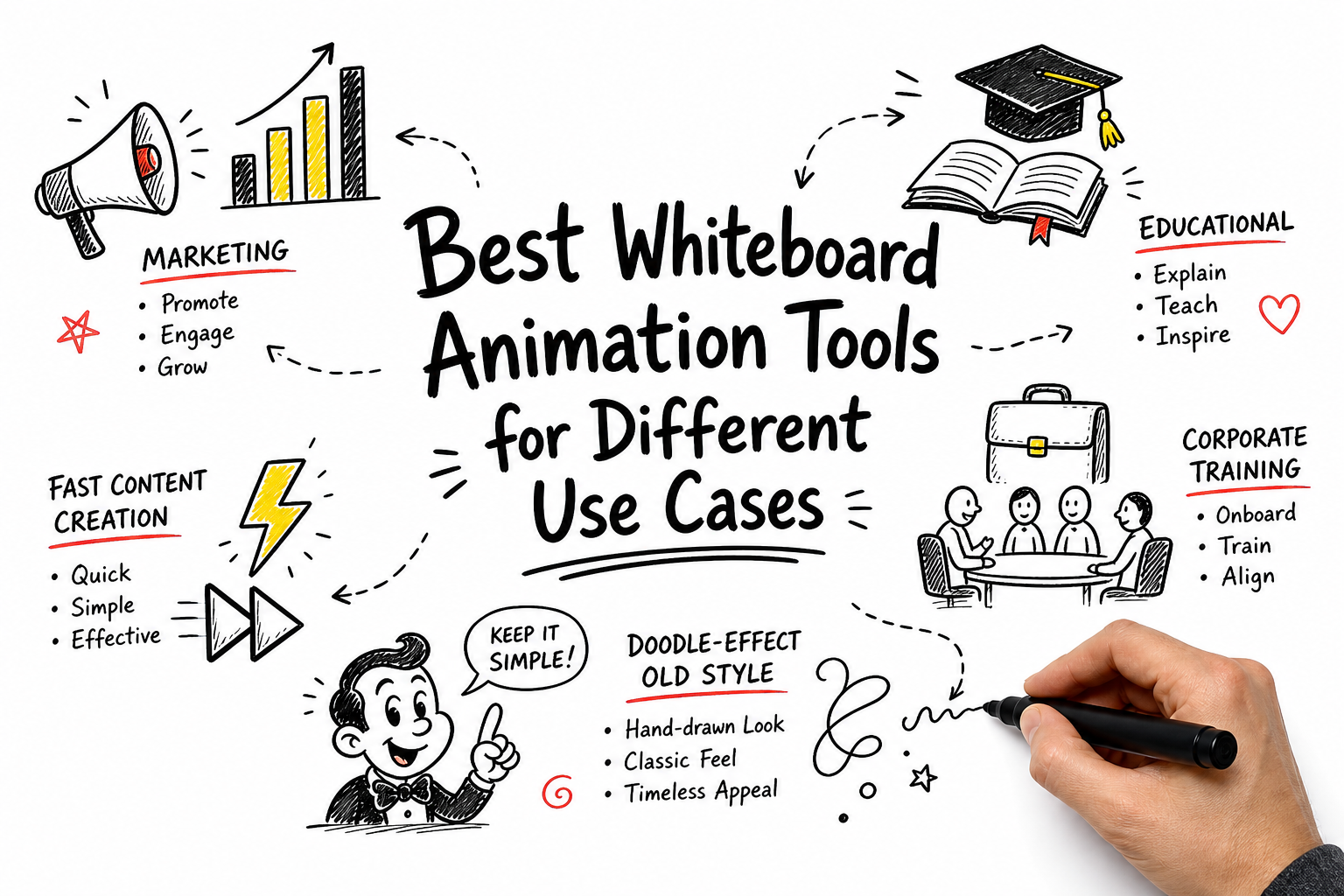
Whiteboard videos are no longer limited to classroom presentations or simple doodle animations.
Today, marketing teams use them to explain products, educators use them to simplify complex concepts, HR teams use them for employee onboarding, and content creators use them to engage audiences across digital channels.
Since every use case has different requirements, the best whiteboard animation software for a teacher may not be the best choice for a marketer or corporate trainer.
In this guide, we’ll help you identify the right tool based on how you plan to use whiteboard animation.
-
Whiteboard Animation Software at a Glance
-
Best Whiteboard Animation Software by Use Case
-
Final Thoughts
Whiteboard Animation Software at a Glance
| Tool | Best For | Ease of Use | Customization | AI Features | Collaboration |
|---|---|---|---|---|---|
| Animaker | Marketing & Explainer Videos | ★★★★★ | ★★★★★ | ★★★★★ | ★★★★☆ |
| VideoScribe | Educational Content | ★★★★☆ | ★★★☆☆ | ★★☆☆☆ | ★★☆☆☆ |
| Vyond | Corporate Training & Onboarding | ★★★★☆ | ★★★★★ | ★★★★☆ | ★★★★★ |
| Renderforest | Fast Content Creation | ★★★★★ | ★★★☆☆ | ★★★★☆ | ★★★☆☆ |
| Doodly | Doodle-Style Whiteboard Videos | ★★★★☆ | ★★★☆☆ | ★★☆☆☆ | ★★☆☆☆ |
Best Whiteboard Animation Software by Use Case
Every whiteboard animation tool has its strengths. Rather than creating a one-size-fits-all ranking, we’ve matched each platform to the use case it’s best suited for.
Best for Marketing & Explainer Videos: Animaker

Animaker is a versatile AI animation platform that also offers whiteboard animation capabilities. It is a great option if you’re new to animation and don’t know where to start.
It keeps things simple with a drag-and-drop interface, so you don’t need any technical background to get something looking polished.
You get a lot of room to make things your own – characters, props, backgrounds, text, transitions, and whiteboard elements can all be tweaked to fit your brand’s look and feel.
What’s especially handy is the built-in AI feature. You can generate an entire whiteboard video with AI, and even get voiceovers done without hiring anyone. It genuinely speeds up the whole process.
It’s also built with teams in mind – you can collaborate, leave feedback, and keep projects moving without things getting messy.
If you’re part of a marketing team or a growing business trying to produce content regularly, that kind of workflow support makes a real difference.
Best for Educational Content: VideoScribe

VideoScribe has been around long enough to earn its reputation in the whiteboard animation world.
It’s built around that classic hand-drawn look – the kind that made whiteboard videos so effective for explaining ideas in the first place.
Getting started is pretty painless. You drag your elements onto a canvas, set your animations, and the tool handles the rest.
You still get decent control over things like drawing paths, timing, and hand styles, but don’t expect it to do much beyond whiteboard-style content.
It’s a focused tool for a specific job, and that’s honestly not a bad thing.
If whiteboard videos are what you need, you’re not paying for a bunch of features you’ll never touch.
Just keep in mind it’s better suited for solo creators or small teams rather than larger collaborative setups.
Best for Corporate Training: Vyond

Vyond is primarily built for corporate use cases. If that's your main focus, it covers the basics well enough.
It follows a template-driven workflow, so you don't need animation experience to get started.
There's decent customization for characters and scenes, though the steeper learning curve means it takes some time before things start feeling natural.
The platform does include AI-assisted features to help speed up production, though it's not particularly ahead of the curve when compared to other tools.
It gets the job done for large organizations with specific corporate training needs, but it's worth weighing whether the cost lines up with what you actually need.
Best for Fast Content Creation: Renderforest

Renderforest keeps things simple - choose a template, swap in your content, and you're done.
It's built around a large template library, so the process is mostly pick, customize, and export.
That simplicity is genuinely useful for marketers or small business owners who just need clean, presentable content without spending hours on it.
That said, the template-driven approach does limit how much you can actually make something your own.
If you have a specific vision or need detailed customization, you'll likely find the options a bit too surface-level. It's more of a fill-in-the-blanks experience than a true creative platform.
The AI tools help cut down production time, and the added ability to create logos and websites in the same place is a nice bonus for those managing multiple content needs on a budget.
Collaboration is supported but kept fairly basic, so it's better suited for individuals or small teams rather than larger workflows.
Best for Old-Style Doodle Effects: Doodly

If doodle-style animation is exactly what you're after, Doodly does that one thing pretty well.
The drag-and-drop interface keeps things accessible, so you don't need any design background to get started.
You can customize scenes, drawing sequences, hand styles, and even choose between whiteboard, blackboard, and glassboard formats, which is a nice touch for variety within the style.
Where it starts to show its limits is outside that niche. It's built for doodle videos and doodle videos only, so if your content needs ever expand beyond that, the platform is not the right fit for you.
AI features are also fairly minimal compared to what newer tools are offering these days.
It's a solid pick for educators, solo creators, or small teams who know exactly what they want and don't need anything beyond it.
Just worth keeping in mind that it's a specialized tool rather than a full creative platform.
Final Thoughts
At the end of the day, the right tool really comes down to what you're trying to create and who you're creating it for.
If you want something that balances ease of use with modern AI-powered features, Animaker covers a lot of ground without a steep learning curve.
VideoScribe and Doodly are decent picks if you're specifically after that classic hand-drawn or sketch-style look.
Vyond leans heavily into the corporate side of things, so if training and internal content is your world, it fits that mold.
Renderforest works fine when speed and simplicity are the priority over creative depth.
The honest advice? Figure out your use case first before committing to any platform.
The wrong tool can slow you down just as much as having no tool at all - so a little clarity upfront saves a lot of frustration later.



No comments yet... Be the first to leave a reply!